Card orders: awaiting payment, paid and converted to cash
A buyer who picks a card places the order, then goes to a secure payment page. The order shows in your orders list right away with its payment badge, and it waits for the payment.
Awaiting payment
The order is Pending with an Awaiting payment badge, in the orders list, the order popup and the order page.
While the order awaits payment:
- It cannot be sent to a courier, confirmed or deleted as it is.
- You can convert it to cash on delivery, or cancel it.
- Its total cannot be changed.
If the buyer does not pay, the order stays Pending with its badge, and you decide: convert it to cash on delivery, or cancel it.
Paid
When the provider confirms the payment, the badge changes to Paid, and the money is in your own provider account. From then on you confirm and ship the order as usual.
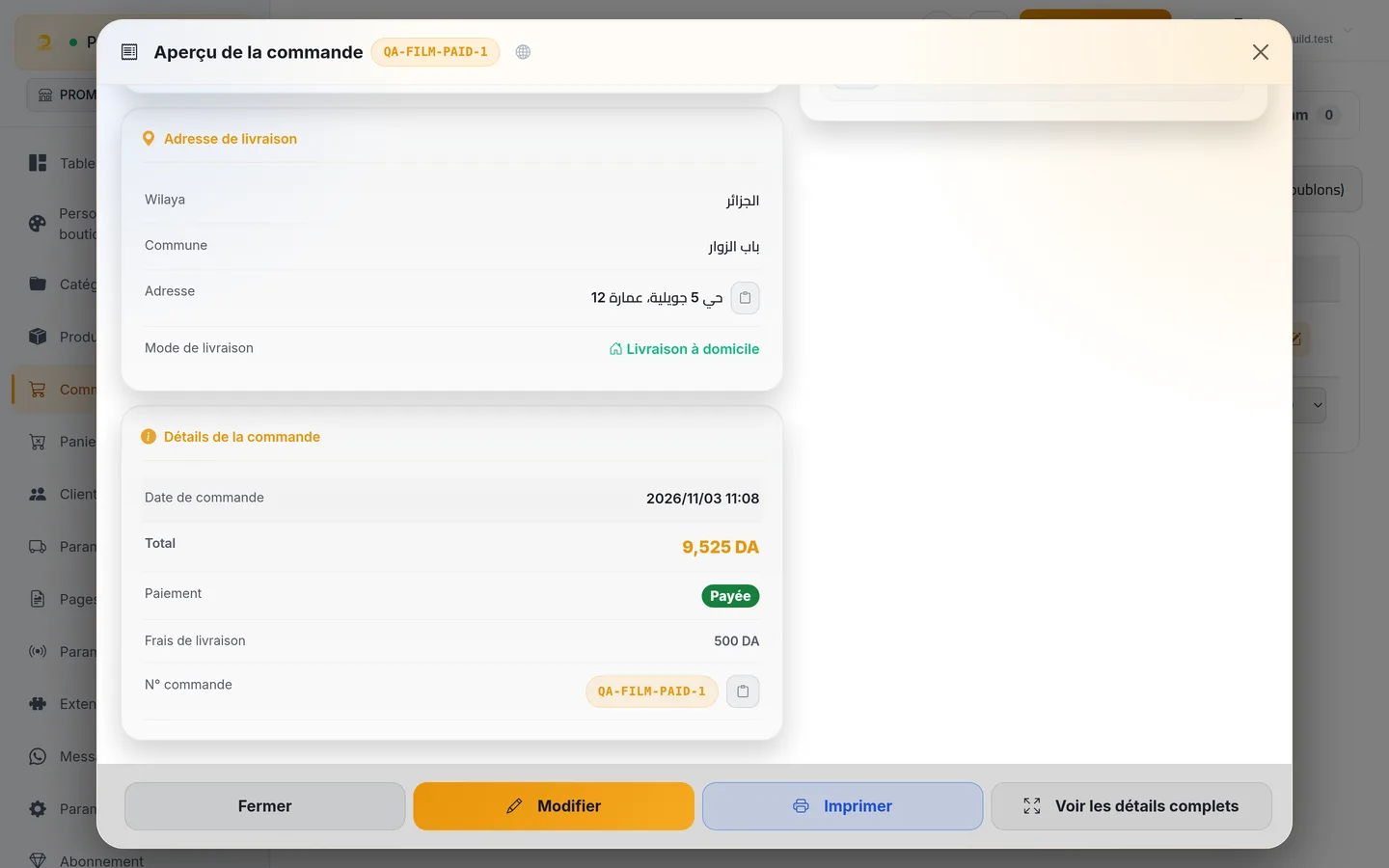
On a paid order:
- The courier collects 0 DA at the door, and the printed label shows "PAID, do not collect".
- If the courier you pick does not accept prepaid orders yet, the send shows "This courier does not accept prepaid orders yet"; send that order with another linked courier.
- The total cannot be raised. To add something the buyer did not pay for, cancel and refund, or create a new order.
Convert to cash on delivery
On a pending order that awaits card payment, the order popup and the order page show Convert to cash on delivery. Use it when the buyer tells you on the phone that they will pay at the door.
- It works on physical orders. Digital orders cannot be converted.
- The card discount and any card fee are removed, and the order goes on as a normal cash order.
- If you confirm an order that awaits payment, or send it to a courier, the dashboard offers to convert it to cash on delivery first. A bulk send skips awaiting orders.
- If the buyer already paid part of the amount by card, the conversion is refused and you are asked to check the order first. Look at the payment in your provider's account.
When the buyer gives up on the card
If the card payment fails or expires, the buyer's order confirmation page offers Retry. On a physical order it also offers Pay on delivery when you take cash on the page the order came from, so the buyer switches to cash with one tap.
Payments that arrive late
Whenever money is owed back to the buyer, the order shows Amount to refund to the customer and a Record the refund button. See Refunds.
On a Digital-theme store, the card option at checkout tells the buyer that the files come as soon as the payment lands. See Digital delivery.