CIB and Edahabia cards through Chargily Pay
With Chargily Pay, your buyers pay by CIB or Edahabia card on a secure payment page, and the money lands in your own Chargily account. Chargily's name never shows on your store: buyers see a tile called CIB / Edahabia card.
You can connect Chargily Pay or Slick-Pay, not both. To switch, disconnect the other one first.
Before you start
Open an account at pay.chargily.com. You can connect with a test key first; the live key comes once Chargily verifies your account.
Connect your account
- Open Settings › Payment methods and press Connect account on the Chargily Pay row.
- In your Chargily dashboard, open Developers Corner, choose Test or Live, and copy the secret key. A test key starts with
test_sk, a live key withlive_sk. - Paste the key, pick the same mode (Test or Live), choose who pays the fees, and press Test and connect.
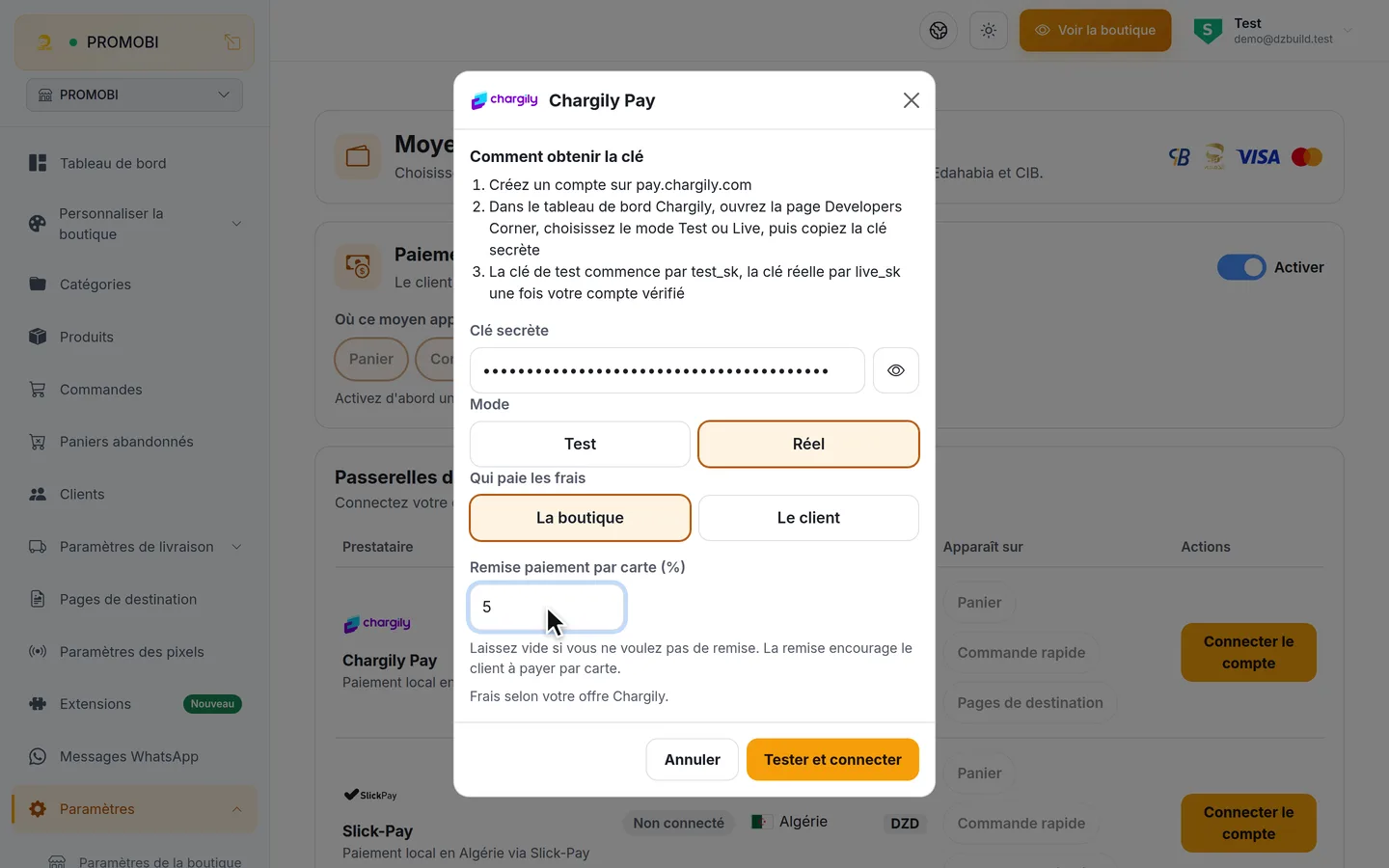
A key in test mode only checks the connection. It takes no real money and is never offered to buyers. When your account is verified, open the row's menu, choose Switch to live mode, paste the live_sk key and test again. A test key pasted there is refused.
Switch it on for buyers
After a successful live test, turn on the row's For customers switch, then pick the pages where the tile shows: Cart, Fast checkout, Landing pages.
If the For customers switch stays greyed out with "Test the key first", press Test key in the row's menu. A new key or a change of mode needs a new test.
Who pays the fees
- The store: Chargily's fee comes out of what you receive. The buyer pays the order total.
- The customer: the buyer's card tile shows "+ card fees added at payment".
Your Chargily rates are in your Chargily account.
Good to know
- Only the store owner can paste or change the key. DZBuild shows its last four characters, never the whole key.
- To stop card payments for a while, turn off For customers. Disconnect account asks you to confirm, then removes the key; you paste it again to come back.
See Card orders for what happens after the buyer pays, and Card discount to reward card payments.