Payment methods for your buyers
Every store, on every plan, has one page that decides how buyers pay: Settings › Payment methods (/dashboard/settings/payments). The page is free. You need no add-on to use it.
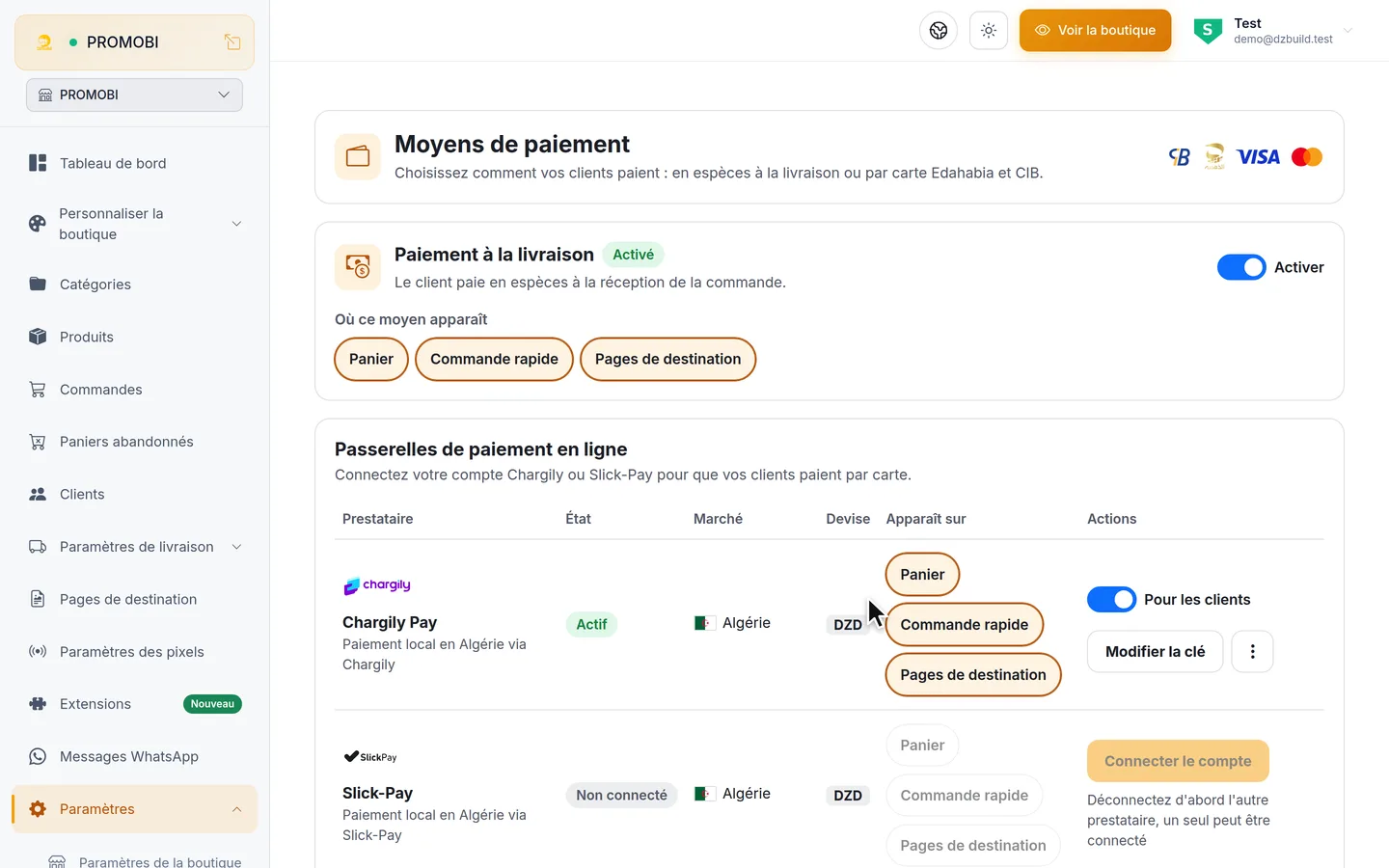
A store that never opens the page keeps working as before: cash on delivery on every page, and a checkout with no payment choice.
The three methods
| Method | Who it suits | What you need |
|---|---|---|
| Cash on delivery | Every buyer in Algeria | Nothing. It is on by default. |
| CIB / Edahabia card | Buyers who pay with an Algerian bank or Algérie Poste card | Your own account at Chargily Pay or Slick-Pay, one of the two |
| International card Visa / Mastercard | Buyers who pay with a foreign card | Your own Stripe account, for a company registered outside Algeria |
The money from a card payment goes to your own account at the provider: you connect your own account key, and the payment is created with it.
What buyers see
When at least one card method is switched on, the checkout shows one tile per method: cash on delivery first, then the Algerian card, then the international card, with the first tile already picked. Buyers see the card names and marks, never your provider's name. The card tile shows your card discount when you set one.
The tiles appear on the pages you choose: the cart checkout, the fast checkout (all five form styles) and landing page order forms. On a Digital-theme store, the card methods you switch on for the cart show on the digital checkout.
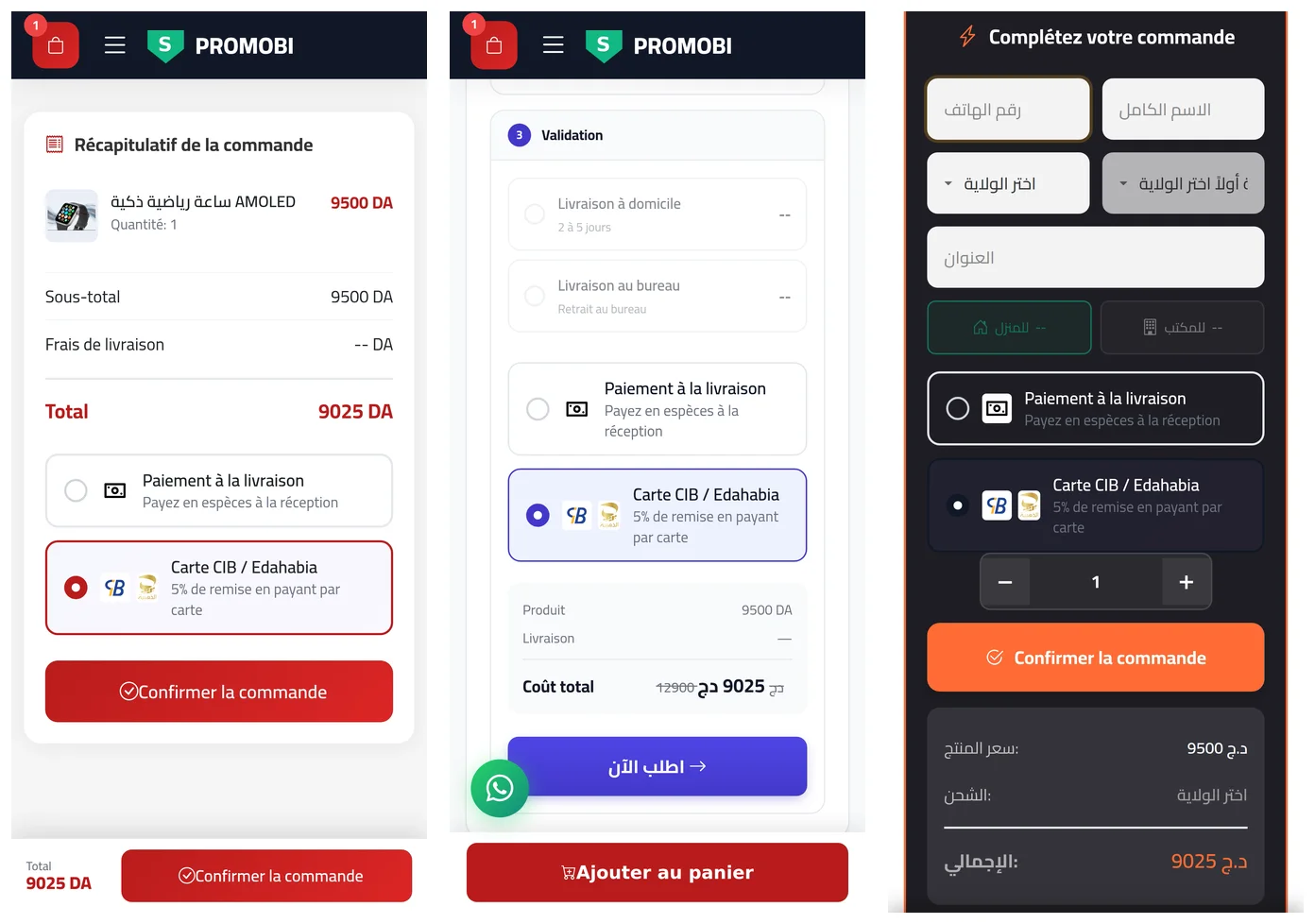
A buyer who picks a card goes to a secure payment page and pays there. If the payment fails or expires, the order confirmation page offers Retry. On a physical order it also offers Pay on delivery when you take cash on the page the order came from, so the buyer switches to cash with one tap.
Rules the page keeps for you
- One provider for the Algerian card per store: Chargily Pay or Slick-Pay.
- A card reaches buyers only after its key passed the test, with a live key for Chargily Pay and Stripe.
- Each page keeps at least one payment method switched on.
- Only the store owner can add or change a key. Team members allowed to edit settings can switch methods and pages on and off.
The Payment Gateway add-on is retired
The Payment Gateway add-on is retired: card payments no longer need it and now live on the free Payment methods page. Secure Storage for digital products stays a paid add-on.
On a Digital-theme store, BaridiMob, CCP, Redot Pay and your other transfer methods stay on the digital payment page (/dashboard/digital/payment). The Manual transfer card on the Payment methods page opens it.