WhatsApp E-commerce Integration in Algeria with DZBuild

An unanswered confirmation call, a buyer who did not prepare the cash, a parcel left at a stop desk: each needs a different follow-up. WhatsApp integration for e-commerce in Algeria is useful when the message matches the order's actual progress.
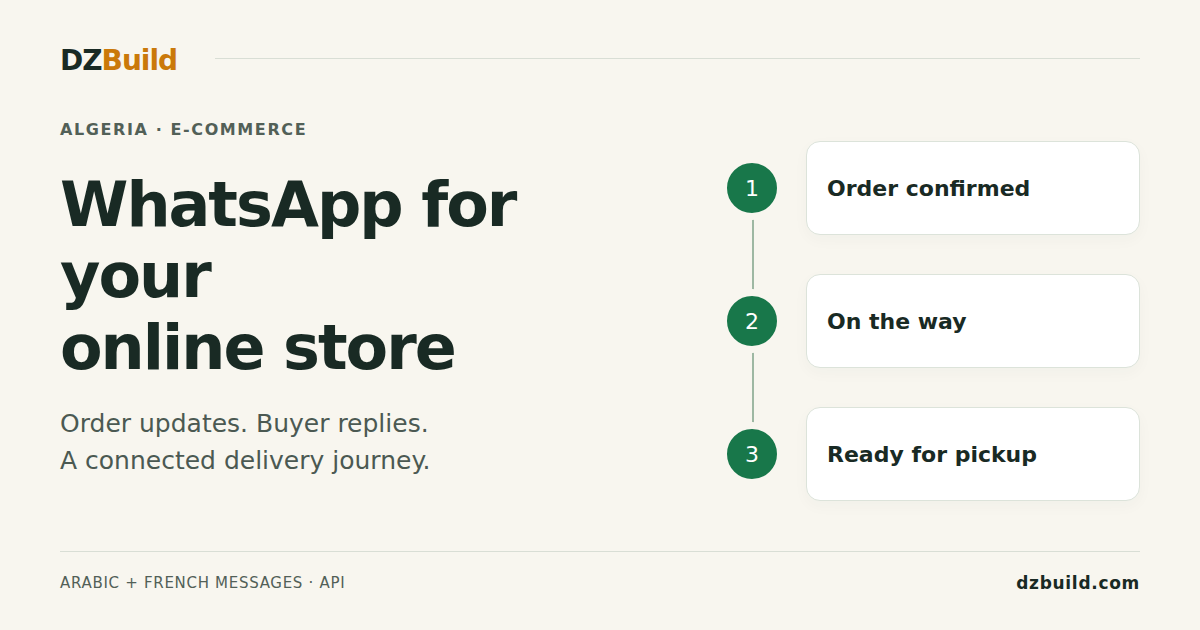
DZBuild's WhatsApp Sender sends automatic order updates in Arabic or French, adds a tracking button, and brings buyer replies back to the merchant. It is available from the Pro plan, with prepaid message credits. Developers can use the same templates and balance through the DZBuild API.
Feature details and prices checked on 30 September 2026. This guide is published by DZBuild and explains its WhatsApp Sender add-on.
What WhatsApp Sender automates
The add-on follows orders in your DZBuild store. You choose which events send a message. There are five event switches and six message templates, because home delivery and stop-desk shipping use different wording. Each automatic event is sent at most once per order; API sends are counted separately.
| Order event | What the buyer receives | Default setting |
|---|---|---|
| Order received | Order acknowledgement, amount due and notice that the store will call to confirm | Off |
| Order confirmed | Confirmation that the order is being prepared, with the amount due | Off |
| Order on the way | For home delivery, the courier, expected delay and cash to prepare. For a stop desk, the destination pickup location | On |
| Failed delivery attempt | For home deliveries, a reminder after a supported courier reports a failed attempt, with an invitation to reply about the date or address | On |
| Parcel ready for pickup | A reminder to collect the parcel at the pickup location | On |
Each template includes the order number and a Track my order button. The texts are fixed templates; you choose Arabic or French and can edit the expected-delivery text used for home delivery. The delay is your estimate, so keep it consistent with the courier's service.
A confirmation message reports a confirmed order. It does not confirm the order on the buyer's behalf. Reading a WhatsApp message, or replying to it, does not automatically change the order status. Your team still validates the purchase and records the result.
How the messages support confirmations and reduce avoidable returns
For cash on delivery, the useful outcome is a parcel accepted and paid for. A message helps when it gives the buyer something specific to do before the next step.
Before the confirmation call, an order-received message reminds the buyer what the call concerns and shows the amount due. During the call, check the product, variant, quantity, wilaya, commune and delivery choice. Resolve an incorrect address or cancellation before handing the parcel to the courier.
While the parcel is travelling, a home-delivery message asks the buyer to keep their phone reachable and prepare the amount. The tracking button gives them a way to check progress without asking your team for an update each time. A stop-desk message identifies the pickup destination instead.
After a delivery problem, a failed-attempt reminder gives the buyer a way to explain when they are available. Someone on your team must read the reply and coordinate any change with the courier. For stop-desk orders, an arrival reminder tells the buyer to collect the parcel before it is returned.
These messages address missed calls, unclear delivery expectations and forgotten pickups. They cannot fix the wrong product, an inaccurate description or a buyer who no longer wants the order. Measure your own confirmation and delivery results; no fixed improvement percentage is promised.
Activate WhatsApp order notifications in DZBuild
Open Dashboard → Add-ons → WhatsApp Sender on a Pro or higher plan. The WhatsApp messages page contains the balance, event switches, previews and message history.
- Choose Arabic or French. Check the preview and write the home-delivery estimate in the same language.
- Choose your events. Enable Order received and Order confirmed if you want those messages; both start off. Review the three delivery switches, which start on.
- Top up the message balance. Credits are separate from your DZBuild subscription. New sends need an available balance.
- Link Telegram in Notifications. This lets eligible linked recipients receive buyer replies on their phone.
- Check a controlled test order. Use a test buyer number you control, different from your DZBuild account number, with permission to receive the test messages. Observe the enabled message, its tracking button, the history entry and a reply; replies from the account owner's number are handled as merchant support.
Messages are sent to Algerian mobile numbers starting with 05, 06 or 07, including their supported international format. Unsupported numbers are skipped. The store setting controls the default message language; the API also accepts a language for an individual send.
Watch the DZBuild setup tutorial in Arabic:
The WhatsApp Sender guide explains the dashboard controls in more detail.
Yalidine, ZR Express and other courier updates
The first three events use the order status in DZBuild. The failed-attempt and desk-arrival events need a matching tracking update from the courier. This distinction matters when choosing which reminders to rely on.
| Notification | What triggers it |
|---|---|
| Received, confirmed, on the way | The relevant DZBuild order state, including orders you ship yourself |
| Failed delivery attempt | For home deliveries, a supported failure status from Yalidine, ZR Express, their supported related integrations, NOEST, Zimou, Colivraison or an Ecotrack-based courier |
| Arrival at the pickup desk | A supported desk-arrival status from Yalidine, ZR Express or their supported related integrations |
| Pickup from your store | For a Pickup from Store order, marking it shipped selects the ready-for-pickup template |
The related integrations include Yalitec, Guepex, Easy & Speed, Economiqua and We Can Services for the Yalidine family, and Abex Express, Leopard Express, Colilog and Flash Delivery for the ZR Express family. A courier connection alone does not guarantee every event: DZBuild must receive a recognized status for that notification.
Check the courier integration guide alongside your actual tracking history. A tracking update or WhatsApp send can be delayed; keep your usual follow-up process for urgent delivery issues.
Where buyer replies go
Automatic messages come from DZBuild's WhatsApp Business number, rather than your store's own number. The order-received, confirmed, shipping and pickup templates identify your store. The failed-attempt template identifies the courier and order number.
A routed buyer reply appears in the order's WhatsApp section. With an eligible Telegram notification channel linked, the merchant also receives a card with Reply on WhatsApp and Open order actions. Ask the buyer to reply directly to the relevant order message: a message sent without quoting it can be linked to a different recent order or handled as merchant support, rather than reaching the intended store.
Reply on WhatsApp opens a chat from your own WhatsApp account. Your answer therefore comes from a different number than the automated update. Introduce your store and the order number so the buyer can follow the conversation. Check the associated order before changing delivery details, especially when the buyer has several orders.
Text replies are retained. For voice notes, images, videos and documents, the record contains the media type and any caption, rather than the attachment itself. Shared locations appear as map links. This is an order-follow-up tool; do not treat it as a complete shared WhatsApp inbox or an automatic confirmation bot.
WhatsApp Sender pricing in Algerian dinars
Credits are prepaid, with one credit initially reserved per queued message. The rate depends on the amount of that top-up. A low-balance warning helps you plan the next purchase; an empty balance pauses new messages.
| Top-up amount | Price per message |
|---|---|
| 2,000 to 7,900 DA | 4 DA |
| 8,000 to 100,000 DA | 3 DA |
Top-ups use increments of 100 DA. For example, 2,000 DA buys 500 credits and 9,000 DA buys 3,000 credits. The quantity is rounded down to a whole number of credits when the amount is not exactly divisible by the rate. Check the quantity displayed before paying.
The dashboard offers CIB / EDAHABIA and global card payment; the global card checkout is billed in USD. Confirm the final checkout amount and the current subscription plan. Message credit purchases are separate from the store subscription.
Skipped messages are not charged. Failed messages and messages confirmed as non-billable are credited back after reconciliation. A pending message is not proof of a free send, and credits may not return immediately. Use the message history's Free or Refunded indication to check the outcome.
The page also shows recent delivered, read, failed and free message counts. A delivered WhatsApp message is not a delivered parcel. Keep message activity and order delivery results separate when assessing performance.
Integrate the WhatsApp API with a CRM or automation
The public base URL is https://api.dzbuild.app/v1. These endpoints let your application read the template catalogue and wallet, inspect sends, and queue a template for an existing order in the authorized DZBuild store.
| Endpoint | Scope | Purpose |
|---|---|---|
GET /v1/whatsapp/templates | whatsapp:read | Read Arabic/French templates and their approval status |
GET /v1/whatsapp/balance | whatsapp:read | Read remaining credits and message statistics |
GET /v1/whatsapp/messages | whatsapp:read | Read message history, optionally filtered by order_id |
POST /v1/orders/{id}/whatsapp | whatsapp:send | Queue a template for the buyer of that store's order |
Personal API keys are available on an active Enterprise plan through Dashboard → Developers → API. Installed apps use their authorized app access; that does not remove the WhatsApp Sender add-on, plan or balance requirements. Older keys may need replacing if they lack the WhatsApp scopes.
For example, after your confirmation workflow has validated an order, your server can request the confirmed message. Set DZBUILD_API_KEY to your private key and ORDER_ID to an order belonging to the connected store. Keep the key on your server.
curl --fail-with-body --max-time 30 \
  -X POST "https://api.dzbuild.app/v1/orders/${ORDER_ID}/whatsapp" \
  -H "Authorization: Bearer ${DZBUILD_API_KEY}" \
  -H "Content-Type: application/json" \
  -H "Idempotency-Key: wa-${ORDER_ID}-confirmed-v1" \
  -d '{"template":"confirmed","language":"fr"}'
202 means the message was queued. Check GET /v1/whatsapp/messages?order_id=YOUR_ORDER_ID for the outcome. Sending this message does not itself mark the order confirmed.
The six template keys are received, confirmed, shipped_home, shipped_desk, delivery_failed and desk_ready. The shipped alias selects the appropriate home, desk or store-pickup template from the order. Only approved templates in Arabic or French can be sent; this endpoint does not accept arbitrary message text or a list of phone numbers.
Avoid duplicate sends in an automation
An API send ignores the automatic event switches. Automatic sends and API sends are counted separately, so an API confirmation can coexist with an automatic confirmation for the same order and consume another credit. Decide which flow owns each message before connecting a CRM, n8n or another automation tool.
The API permits one send of a given template per order through that API flow; repeating it can return 409 already_sent. Use the same Idempotency-Key and body when retrying an uncertain request. After correcting a saved error such as 402 no_credit, use a new key, because the earlier response can be replayed for 24 hours. Full error handling is in the WhatsApp API reference and idempotency guide.
To react to order events in an external tool, see DZBuild webhooks. This requires an integration you configure; the WhatsApp endpoint sends messages for DZBuild orders, not arbitrary orders from another ecommerce platform.
Measure confirmations, deliveries and returns
Compare completed groups of orders before and after enabling the flow. Keep the product, acquisition source, courier, wilaya and delivery type as comparable as possible. Give parcels enough time to reach a final status; today's shipped orders are not today's returns.
| Metric | Calculation for the same group of orders |
|---|---|
| Confirmation rate | Confirmed orders divided by orders received, multiplied by 100 |
| Delivery rate | Delivered parcels divided by shipped parcels, multiplied by 100 |
| Return rate | Returned parcels divided by shipped parcels, multiplied by 100 |
| Messaging cost per delivered order | Message cost after returned credits, divided by delivered orders |
Track return reasons as well as the total. Fewer unreachable buyers suggests a different action from fewer sizing complaints. Read receipts alone cannot tell you whether the messaging flow reduced returns or whether a different courier, product or audience caused the change.
Keep order notifications expected and relevant. Obtain the buyer's permission to receive WhatsApp updates and respect requests to stop, as required by the WhatsApp Business Messaging Policy. An order-notification flow should not become an unsolicited promotion campaign.
Frequently asked questions
Does WhatsApp Sender automatically confirm orders?
It sends an acknowledgement when enabled and a confirmation message after the order reaches the confirmed state. Your team or authorized order-management workflow still confirms the order. A reply or read receipt does not do that automatically.
Do I connect my own WhatsApp number?
The automated messages use DZBuild's WhatsApp Business number. The merchant's Reply on WhatsApp action opens their own WhatsApp account, so manual replies use their own number.
Can I use it without writing code?
Yes. Activate the add-on, choose the events and language, and fund the message balance. The automatic flow works from DZBuild order and supported courier updates. An API integration is optional.
Does it work with Shopify or WooCommerce orders?
The send endpoint needs an order in the authorized DZBuild store. A separate integration would need to bring an external order into DZBuild and meet the API requirements. Do not assume that activating WhatsApp Sender installs a Shopify or WooCommerce connector.
Are English buyer messages available?
The current order templates are in Arabic and French. This English guide explains the same feature; it does not add an English message template.
Will it eliminate COD returns?
No. It gives buyers timely order information and a way to respond. Correct products, accurate addresses, confirmation work and courier follow-up still determine whether a parcel is accepted.
Start with the order events your team can follow up. Create your DZBuild account, or open WhatsApp Sender in your existing store. Choose the language, review the previews and check the complete message-and-reply flow with a test buyer number you control, different from your DZBuild account number.